Creating a User for the HTTP Proxy API through Console UI
Last updated: August 11, 2026
If you need to create a user for your HTTP Proxy API calls you can do that through the console UI. you can read more about the HTTP Proxy API here in our official documentation.
- Within your Redpanda Console UI click Security on the left hand side.
- Click Create User
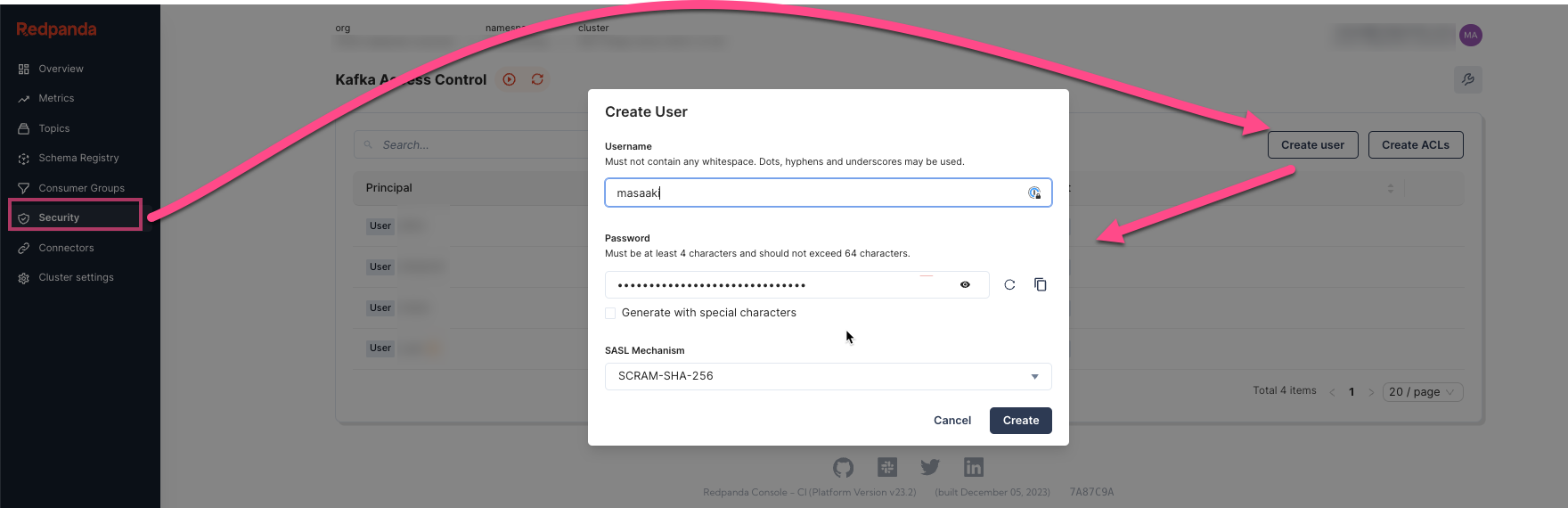
- Follow the prompts to create your user and choose your SASL mechanism
- More information can be found in our official documentation here.
- Click Create.
- Detail the Operations you wish the user to be able to perform, and any ACLs.
- Learn more about ACLs in our blog post here.
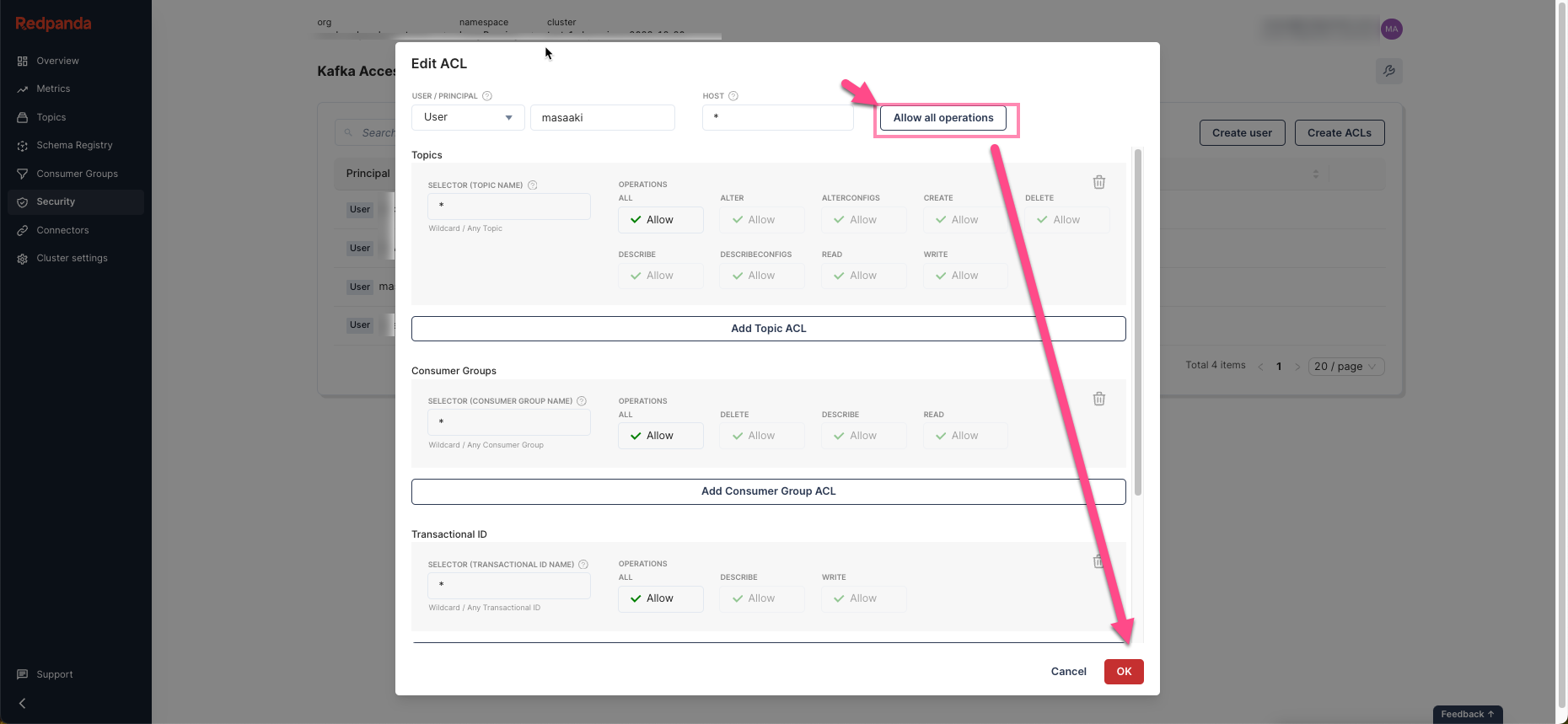
- Learn more about ACLs in our blog post here.
- Click Ok.
You should now be able to use the created user to access the HTTP Proxy API.